라벨이 Matplotlib인 게시물 표시

Python matplotlib.pyplot.ylim()

이미지
사용 버전: Python 3.7.6 사용 프로그램: Atom 1.45.0 x64 ​ 파이썬 matplotlib.pyplot.ylim()에 대해서 알아보겠습니다. 괄호 안에는 bottom, top 따위가 들어갑니다. ​ matplotlib.pyplot.ylim()은 y축의 시작과 끝 점을 정할 수 있습니다. ​ 반환 값으로 현재 값을 알 수 있습니다. ​ ​ bottom과 top에는 숫자가 들어갑니다. bottom에는 시작 점이, top에는 끝 점이 들어갑니다. ​ ​ 끝. 카테고리: Python, Matplotlib

Python matplotlib.pyplot.xlim()

이미지
사용 버전: Python 3.7.6 사용 프로그램: Atom 1.45.0 x64 ​ 파이썬 matplotlib.pyplot.xlim()에 대해서 알아보겠습니다. 괄호 안에는 left, right 따위가 들어갑니다. ​ matplotlib.pyplot.xlim()은 x 축의 시작과 끝 점을 정할 수 있습니다. ​ 반환값으로 현재 값을 알 수 있습니다. ​ ​ right와 left에는 숫자가 들어갑니다. left에는 시작 점이, right에는 끝 점이 들어갑니다. ​ ​ 끝. ​ 카테고리: Python, Matplotlib

Python matplotlib.pyplot.bar()

이미지
사용 버전: Python 3.7.6 사용 프로그램: Atom 1.45.0 x64 ​ 파이썬 matplotlib.pyplot.bar()에 대해서 알아보겠습니다. 괄호 안에는 x, height, width, bottom, align, data, color, edgecolor, linewidth, tick_label, xerr, yerr, ecolor, capsize, error_kw, log, orientation 따위가 들어갑니다. ​ matplotlib.pyplot.bar()은 막대그래프를 그립니다. ​ x에는 x축 범위가 들어갑니다. height에는 y축 범위가 들어갑니다. ​ ​ width에는 숫자가 들어갑니다. 막대의 굵기를 나타냅니다. ​ ​ 리스트로 막대 굵기를 따로 정할 수 있습니다. ​ ​ align은 막대 바의 정렬 위치를 나타냅니다. 'center'와 'edge'를 선택할 수 있습니다. ​ 끝. ​ 카테고리: Python, Matplotlib

Python matplotlib.pyplot.subplot()

이미지
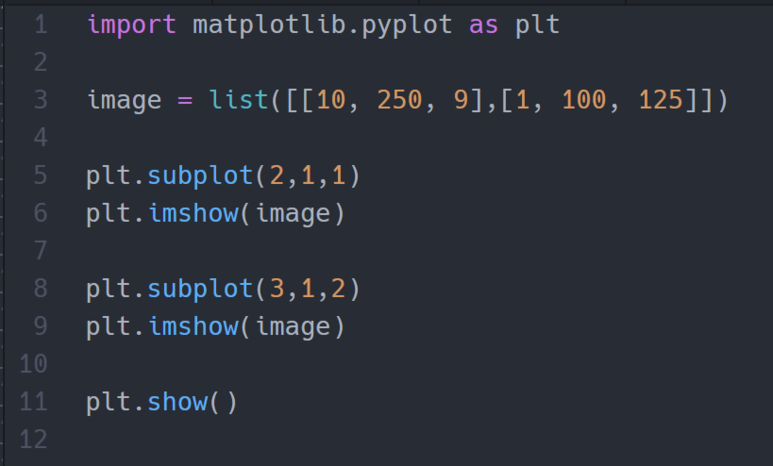
사용 버전: Python 3.7.6 사용 프로그램: Atom 1.45.0 x64 ​ 파이썬 matplotlib.pyplot.subplot()에 대해서 알아보겠습니다. 괄호 안에는 ncols, nrows, index, **kwargs 따위가 들어갑니다. ​ matplotlib.pyplot.subplot()은 하나의 차트 창을 분할하여 보여줍니다. ​ ncols에는 행의 개수, nrows는 열의 개수, index는 배열에서의 위치를 선택합니다. ​ ​ 끝. ​ 카테고리: Python, Matplotlib

Python matplotlib.pyplot.yticks()

이미지
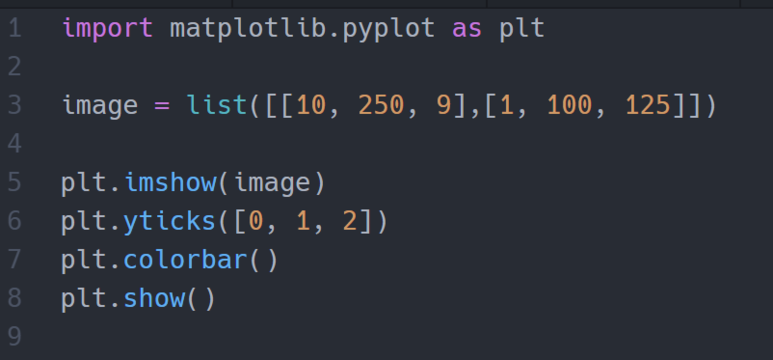
사용 버전: Python 3.7.6 사용 프로그램: Atom 1.45.0 x64 ​ 파이썬 matplotlib.pyplot.yticks()에 대해서 알아보겠습니다. 괄호 안에는 ticks, labels, Text 속성, locs, labels 따위가 들어갑니다. ​ matplotlib.pyplot.yticks()는 축에 들어가는 설명을 수정합니다. ​ ticks에는 list가 들어갑니다. ​ ​ ticks에 빈 리스트를 넣으면 축 설명이 없어집니다. ​ ​ labels에는 리스트가 들어갑니다. 축에 숫자 대신 사용할 때 사용합니다. ​ ​ 끝. 카테고리: Python, Matplotlib

Python matplotlib.pyplot.xticks()

이미지
사용 버전: Python 3.7.6 사용 프로그램: Atom 1.45.0 x64 ​ 파이썬 matplotlib.pyplot.xticks()에 대해서 알아보겠습니다. 괄호 안에는 ticks, labels, Text 속성, locs, labels 따위가 들어갑니다. ​ matplotlib.pyplot.xticks()는 축에 들어가는 설명을 수정합니다. ​ ticks에는 list가 들어갑니다. ​ ​ ticks에 빈 리스트를 넣으면 축 설명이 없어집니다. ​ ​ labels에는 리스트가 들어갑니다. 축에 숫자 대신 사용할 때 사용합니다. ​ ​ 끝. 카테고리: Python, Matplotlib

Python matplotlib.pyplot.colorbar()

이미지
사용 버전: Python 3.7.6 사용 프로그램: Atom 1.45.0 x64 ​ 파이썬 matplotlib.pyplot.colorbar()에 대해서 알아보겠습니다. ​ matplotlib.pyplot.colorbar()는 색깔에 따른 값을 보여줍니다. ​ ​ ​ 끝. 카테고리: Python, Matplotlib

Python matplotlib.pyplot.figure()

이미지
사용 버전: Python 3.7.6 사용 프로그램: Atom 1.45.0 x64 ​ 파이썬 matplotlib.pyplot.figure()에 대해서 알아보겠습니다. 괄호 안에는 num, figsize, dpi, facecolor, edgecolor, frameon, FigureClass, clear, **kwargs 따위가 들어갑니다. ​ matplotlib.pyplot.figure()은 새로운 차트 창을 만듭니다. ​ ​ num 안에는 숫자나 글자가 들어갑니다. 차트 창의 이름을 변경합니다. figsize에는 [가로, 세로] 크기가 들어갑니다. 단위는 inch를 사용하므로 cm로 변환하려면, /2.54를 해줍니다. 처음 나오는 크기를 지정합니다. ​ 끝. ​ 카테고리: Python, Matplotlib

Python matplotlib.pyplot.imshow()

이미지
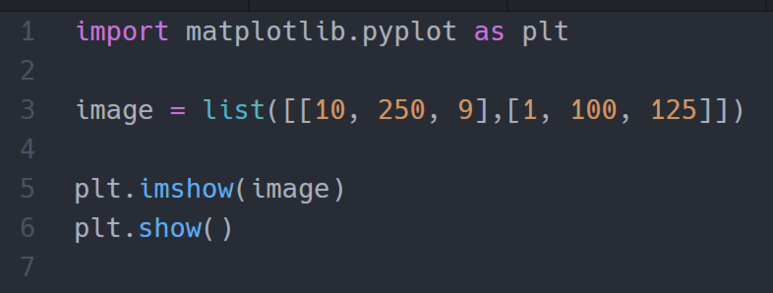
사용 버전: Python 3.7.6 사용 프로그램: Atom 1.45.0 x64 ​ 파이썬 matplotlib.pyplot.imshow()에 대해서 알아보겠습니다. 괄호 안에는 X, cmap, norm, aspect, interpolation, alpha, vmin, vmax, origin, extent, shape, filternorm, filterrad, imlim, resample, url, data, Artist 속성 따위가 들어갑니다. ​ matplotlib.pyplot.imshow()는 2차원 배열이나 이미지 그 밖의 데이터를 시각적으로 표현합니다. ​ X에는 2차원 배열이나 이미지가 들어갑니다. ​cmap으로 색깔을 지정할 수 있습니다. 들어가는 색깔은 다음과 같습니다. 'Accent', 'Accent_r', 'Blues', 'Blues_r', 'BrBG', 'BrBG_r', 'BuGn', 'BuGn_r', 'BuPu', 'BuPu_r', 'CMRmap', 'CMRmap_r', 'Dark2', 'Dark2_r', 'GnBu', 'GnBu_r', 'Greens', 'Greens_r', 'Greys', 'Greys_r', 'OrRd', 'OrRd_r', 'Oranges', 'Oranges_r', 'PRGn', 'PRGn_r', 'Paired', 'Paired_r', 'Pastel1', 'Pastel1_r', 'Pastel2', 'Pastel2_r', 'PiYG', ...

Python matplotlib.pyplot.grid()

이미지
사용 버전: Python 3.7.6 사용 프로그램: Atom 1.45.0 x64 ​ 파이썬 matplotlib.pyplot.grid()에 대해서 알아보겠습니다. 괄호 안에는 b, which, axis, Line2D 속성 따위가 들어갑니다. ​ matplotlib.pyplot.grid()는 표에 선 속성을 수정할 수 있습니다. ​ b에는 참, 거짓이 들어갑니다. 표시할 것인지 안 할 것인지를 나타냅니다. ​ ​ which는 'major', 'minor', 'both'가 들어갑니다. 'minor'를 하면 선이 안 보이네요. ​ ​ ​ axis는 어떤 축에 그릴 것인지를 정합니다. 'both', 'x', 'y'가 들어갑니다. ​ ​ Line2D 속성에는 여러 가지 라인 속성들이 들어갑니다. agg_filter, alpha, animated, antialiased, clip_box, clip_on, clip_path, color, contains, dash_capstyle, dash_joinstyle, dashes, data, drawstyle, figure, fillstyle, gid, in_layout, label, linestyle, linewidth, marker, markeredgecolor, markeredgewidth, markerfacecolor, markerfacecoloralt, markersize, markevery, path_effects, picker, pickradius, rasterized, sketch_params, snap, solid_capstyle, solid_joinstyle, trasform, url, visible, xdata, ydata, zarder ​ ...